Welcome to WordPress. This is your first post. Edit or delete it, then start writing!
Блог
-
The Flash Has Already Begun
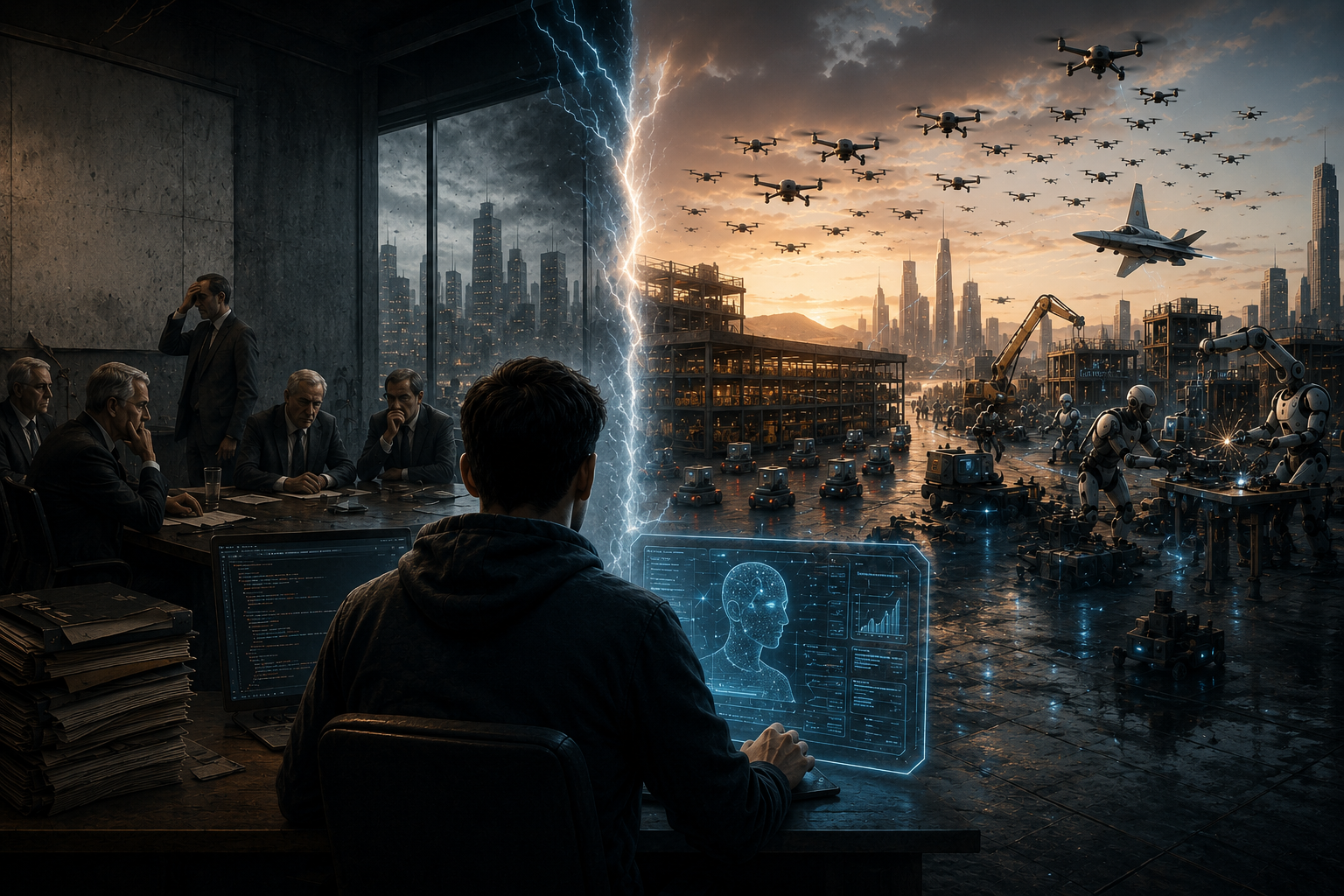
We are still debating whether a technological revolution will begin, while already standing inside it.
The cities are still standing. People live, study, walk, build, fight, grow. It seems like everything is the same as always. But the catastrophe has already begun — a catastrophe whose onset no one noticed, one that will affect hundreds of millions of people to varying degrees. The chance that the number will cross a billion is more than real. Humanity has never faced a cataclysm of this scale. And yet it seems like everything is the same as always.
One part of the familiar world has changed. And that part is the speed of change itself.
Today, a person at a computer is capable of what, just a couple of decades ago, belonged in science fiction. And not only in the virtual world, though for now it is still mostly there. But no longer only there. In reality. With hands. On the factory floor. On the proving ground.
A single warehouse operator doesn’t manage one forklift — they manage a squad. Not five machines in sequence, but a swarm that reroutes itself, avoids obstacles on its own, decides who goes where. The person doesn’t drive. The person conducts. On construction sites in Japan, China, and the UAE, brigades of robotic masons and robotic welders work in shifts — no smoke breaks, no sick leave, no union. One engineer with a tablet assigns the shift’s tasks and walks away to get coffee. In the military, things have gone further still. Swarms of drones — not ten, not fifty, but hundreds of machines advancing in coordinated attack — have ceased to be a lab demo. In Ukraine, operators control squads of FPV drones where one machine scouts, the second suppresses, the third finishes the job — all in real time, by a single person sitting in a dugout behind a laptop. The Pentagon is launching the Replicator program — thousands of autonomous systems to be deployed not in a decade, but now. China displays swarms of hundreds of drones at parades, controlled by a single algorithm and a single observer-operator. A fighter pilot in a next-generation cockpit is no longer alone — beside them flies a "loyal wingman," a drone making decisions at a level that, just yesterday, was available only to a second human pilot.
The role of one person is changing radically. But not one person alone. A pairing. Human plus AI.
This is no longer "a person uses a tool." A hammer doesn’t argue with you, doesn’t suggest alternatives, doesn’t say "what if we tried it this way?" The human–AI pairing is a duo where one sets the task and makes the decision, and the other executes, searches, calculates, generates, verifies — at a speed physically impossible for any team of twenty, fifty, a hundred people. A single developer with an AI assistant writes, tests, and ships a product that three years ago required an entire department. A single translator with AI handles a volume that once demanded a bureau of fifteen. A single designer generates in one evening as many branding variants as a studio used to produce in a month. A single analyst processes a document set that once took a team a full week.
And this is not "assistance." This is not "automating routine." This is a change in the unit of measurement. Before, the unit was a department. Now the unit is a pairing. One person and a model. And those who understood this gain such acceleration that, for them, competitors moving the old way fall behind by days, weeks, months. Not by percentages. By orders of magnitude.
The speed of the gap is accelerating. What was recently fully profitable now doesn’t even break even. But those using old, proven technologies haven’t realized it yet. They see that revenue dipped slightly. That a competitor appeared — strange, small, no office, no staff, no clear structure. They say: let’s wait, the market will correct, this is temporary.
And here is the question no one wants to ask at the board meeting.
You have money. You have a brand built over fifteen years. You have contracts, connections, a clear model: invest — receive profit by quarter. You operate on inertia, because inertia worked for twenty straight years. You expect the next report. The next dividend payout. The next cycle.
But do you really still have that quarter?
Do you really still have that money — or has it already been devalued, not by inflation, but by the fact that your service, your product, your expertise are now worth zero, because one person in a rented apartment, with a two-hundred-dollar monthly subscription and a model that thinks faster than your department, did the same thing over the weekend. Better. Cheaper. Without your Monday meeting.
Your firm wasn’t killed by a competitor. Your firm was displaced by one person. And they didn’t even notice they displaced it. For them, it was just a Tuesday.
The flash has already happened. The light is different now. The shadows have shifted. And you’re still looking at the old shadows, wondering why they don’t line up.
-
MIT Deep Learning Lab 1: How I Set Up the Environment and Why It Turned Out to Be More Complicated Than One Command
I started working through the first lab of MIT’s Deep Learning course. Before I even got to the neural networks themselves, I ended up with a small lab of my own: setting up the environment.
The lab itself starts quite simply. You need to import PyTorch and several additional libraries:
import torch
import torch.nn as nn

# Download and import the MIT Introduction to Deep Learning package
!pip install mitdeeplearning --quiet
import mitdeeplearning as mdl

import numpy as np
import matplotlib.pyplot as plt
If you run the lab in a prepared environment such as Jupyter Notebook or Google Colab, you may indeed have almost nothing else to do at this stage.
But I decided to run everything locally on Windows. That was when I discovered that a few lines from the lab require at least a basic understanding of what is actually happening.
First Run: Python Does Not Know What torch Is
I launched the regular Python interpreter and tried:
import torchThe response was:
ModuleNotFoundError: No module named 'torch'The error is fairly clear: Python is installed, but PyTorch is missing from this environment.
I exited the interpreter:
exit()and installed PyTorch from PowerShell:
python -m pip install torchWhy use
python -m pipinstead of simplypip?Because this form explicitly says: run the
pipmodule with the same Python interpreter invoked by thepythoncommand. When a system has multiple Python versions and environments, this helps avoid confusion.The installation completed successfully:
Successfully installed ... torch-2.13.0 ...However, warnings appeared saying that some executables were located in a directory that was not in
PATH:WARNING: The scripts torchfrtrace.exe and torchrun.exe are installed in 'C:\Users\dante\AppData\Local\Python\pythoncore-3.14-64\Scripts' which is not on PATH.For my current task, this was not a critical error. The package itself had been installed.
PyTorch Worked, but the Next Problem Appeared
I launched Python again:
import torchThis time there was no
ModuleNotFoundError, but a warning appeared:UserWarning: Failed to initialize NumPy: No module named 'numpy'In other words, PyTorch itself could now be imported, but NumPy was missing.
I checked the version:
print(torch.__version__)The result was:
2.13.0+cpuThat was already a good sign: PyTorch was installed and working.
The
+cpusuffix means that the CPU version of PyTorch was installed. That is enough to begin the lab. GPU support can be addressed separately when it is actually needed.The Command from the Lab Is Not Regular Python
The next line in the lab looks like this:
!pip install mitdeeplearning --quietIf you simply copy it into the regular Python interpreter, it will not work.
The reason is the
!character.It is not standard Python syntax. Jupyter/IPython uses it to run operating-system commands directly from a notebook cell.
Therefore, instead of:
!pip install mitdeeplearning --quietI used the following in PowerShell:
python -m pip install mitdeeplearningIt seemed as though everything should now install.
But it did not.
Why I Decided to Switch to a Virtual Environment
The installation of
mitdeeplearningended with an error. At that point, it became clear that continuing to install everything directly into the system Python was not a good idea.It was better to create a separate virtual environment for the lab.
In the project directory:
C:\Users\dante\OneDrive\Documents\Learning Lab1I created it with:
python -m venv .venvThis created the following directory:
.venvIt contains a separate Python interpreter and a separate set of libraries for this project.
Normally, you activate the virtual environment after creating it. PowerShell, however, refused to run the activation script because of its script execution policy.
I did not want to change a system-wide Windows policy just for this lab.
That was when I learned something useful: a virtual environment does not have to be activated at all.
You can run the Python interpreter inside it directly:
.\.venv\Scripts\python.exe --versionMy result was:
Python 3.14.5You can also install a package specifically into this environment like this:
.\.venv\Scripts\python.exe -m pip install ...I actually liked how explicit this approach was: I could see exactly which Python interpreter I was using.
The setuptools Problem
My next attempt was to restrict the
setuptoolsversion:.\.venv\Scripts\python.exe -m pip install "setuptools<82"The following version was installed:
Successfully installed setuptools-81.0.0But this did not solve the main problem.
After the next attempt, it became clear that the issue was no longer just
setuptools.The problem was the Python version.
Python 3.14 Was Too New
I had Python 3.14.5 installed.
PyTorch itself was already working on it, but
mitdeeplearningbrings in a fairly large dependency tree. Compatibility with such a new Python version became a problem somewhere in that tree.This was an interesting practical lesson.
The newest version of Python is not always the best choice for scientific libraries.
Python evolves faster than the entire ecosystem can adapt. This is especially noticeable in machine learning, where large libraries with native components and many dependencies are common.
So I decided to install another Python version: Python 3.13.15.
There was no need to remove the system-wide Python 3.14. Windows can have several Python versions installed at the same time.
Recreating the Environment with Python 3.13
The old virtual environment had been created with Python 3.14, so merely installing Python 3.13 would not change it.
I removed the old environment:
Remove-Item -Recurse -Force .venvThen I explicitly created a new one with Python 3.13:
py -3.13 -m venv .venvI checked it:
.\.venv\Scripts\python.exe --versionThe result was:
Python 3.13.15Now everything was correct.
I installed the appropriate
setuptoolsversion again:.\.venv\Scripts\python.exe -m pip install "setuptools<82"Then PyTorch:
.\.venv\Scripts\python.exe -m pip install torchThe installation completed successfully.
I checked it:
.\.venv\Scripts\python.exe -c "import torch; print(torch.__version__)"The result was:
2.13.0+cpuThe NumPy warning appeared again:
UserWarning: Failed to initialize NumPy: No module named 'numpy'But it no longer looked alarming. PyTorch worked, and NumPy was expected to be installed as one of the
mitdeeplearningdependencies anyway.Installing mitdeeplearning
The next step was:
.\.venv\Scripts\python.exe -m pip install --no-build-isolation mitdeeplearningThis was where a genuinely large installation began.
mitdeeplearningwas far from a small package. It started downloading all of the following along with it:numpy tensorflow keras transformers datasets peft gym opik openai pandas pyarrow ...TensorFlow alone was more than 350 MB:
Downloading tensorflow-2.21.0 ... (351.2 MB)In addition,
pipbuilt wheel packages formitdeeplearningandgymitself:Building wheel for mitdeeplearning ... done Building wheel for gym ... doneAnd finally:
Successfully installed ... mitdeeplearning-0.7.5 ...The main problem had been solved.
Installing a Package Does Not Yet Mean the Lab Will Run
After that, the AI assistant and I decided not to consider the task finished merely because
piphad printedSuccessfully installed.It was better to test the exact imports used by the lab.
It turned out that
matplotlibwas missing.I installed it:
.\.venv\Scripts\python.exe -m pip install matplotlibThe next check revealed another dependency:
ipython..\.venv\Scripts\python.exe -m pip install ipythonThe following attempt reached:
import cv2The
cv2module is provided by OpenCV, so I installed it:.\.venv\Scripts\python.exe -m pip install opencv-pythonThen I ran the check again.
Final Environment Check
Now I checked the lab’s main imports all at once:
.\.venv\Scripts\python.exe -c "import torch; import torch.nn as nn; import mitdeeplearning as mdl; import numpy as np; import matplotlib.pyplot as plt; print('torch:', torch.__version__); print('numpy:', np.__version__); print('Все импорты работают')"This time I got:
torch: 2.13.0+cpu
numpy: 2.5.2
Все импорты работают
Finally.
Before that, TensorFlow printed messages about oneDNN:
oneDNN custom operations are on.
You may see slightly different numerical results due to
floating-point round-off errors...
This is a warning, not an error. The library is reporting that it uses optimized CPU operations and that floating-point results may differ very slightly because operations can be evaluated in a different order.
Gym also displayed a warning:
Gym has been unmaintained since 2022 and does not support NumPy 2.0...
Please upgrade to Gymnasium...
This is more interesting: the
mitdeeplearningpackage uses the oldgympackage, which is no longer officially maintained and warns about issues with modern NumPy versions.For now, however, the import succeeds. I am not going to fix something before it has actually broken. If a specific part of the lab fails because of incompatibility between
gymand NumPy, I will investigate that issue separately.The Final Result
The working lab environment now looks approximately like this:
Learning Lab1
│
└── .venv
    ├── Scripts
    ├── Lib
    └── ...
Most importantly, the complete set of libraries is contained inside
.venvinstead of being scattered throughout the system Python installation.I do not even need to activate the environment to run Python:
.\.venv\Scripts\python.exeTo install new packages:
.\.venv\Scripts\python.exe -m pip install имя_пакетаAnd to run a script:
.\.venv\Scripts\python.exe script.pyIf I Were Installing Everything Again
After all these experiments, the sequence now looks much clearer.
Install Python 3.13 and create the environment:
py -3.13 -m venv .venvCheck the version:
.\.venv\Scripts\python.exe --versionInstall the appropriate
setuptoolsversion:.\.venv\Scripts\python.exe -m pip install "setuptools<82"Install PyTorch:
.\.venv\Scripts\python.exe -m pip install torchInstall the MIT package:
.\.venv\Scripts\python.exe -m pip install --no-build-isolation mitdeeplearningThen install the missing dependencies required by my version of the lab:
.\.venv\Scripts\python.exe -m pip install matplotlib ipython opencv-pythonFinally, check the environment:
.\.venv\Scripts\python.exe -c "import torch; import torch.nn as nn; import mitdeeplearning as mdl; import numpy as np; import matplotlib.pyplot as plt; print('torch:', torch.__version__); print('numpy:', np.__version__); print('Все импорты работают')"What I Learned from This Installation
The funny thing is that I had barely begun the deep learning lab, yet I had already learned several useful practical lessons about Python.
First, code from a Jupyter Notebook cannot always be copied thoughtlessly into regular Python. The construct:
!pip install ...belongs to the Jupyter/IPython environment, not to the Python language itself.
Second, a virtual environment is not merely an extra complication for professional programmers. It is a convenient way to isolate the dependencies of a specific project.
Third, a virtual environment does not have to be activated. You can explicitly invoke its interpreter:
.\.venv\Scripts\python.exeFourth, the newest Python version can be too new. Python 3.14 installed perfectly well and even ran PyTorch, but the large
mitdeeplearningdependency tree forced me to move back to Python 3.13.Finally, a
Successfully installedmessage does not guarantee that the entire project is ready to work. It is far more useful to run the actual imports and see what is missing.An AI assistant helped me a great deal throughout this process. I probably would have found the answers gradually on my own as well—documentation, search, Stack Overflow, and trial and error are still available. But identifying the cause of each new error would have taken much longer.
Here, AI was not a replacement for learning. It was more like an assistant sitting nearby: I run a command, get an error, try to understand what it means, show the result to the AI, receive an explanation and a possible next step, and then test again.
That, too, is probably part of learning how to work with modern tools.
Most importantly, the environment finally works:
torch: 2.13.0+cpu
numpy: 2.5.2
Все импорты работают
That is enough for today.
I will continue the lab next time.